.png)

pAIwares, Inc.
UI Design | Visual Design | Dashboard Design
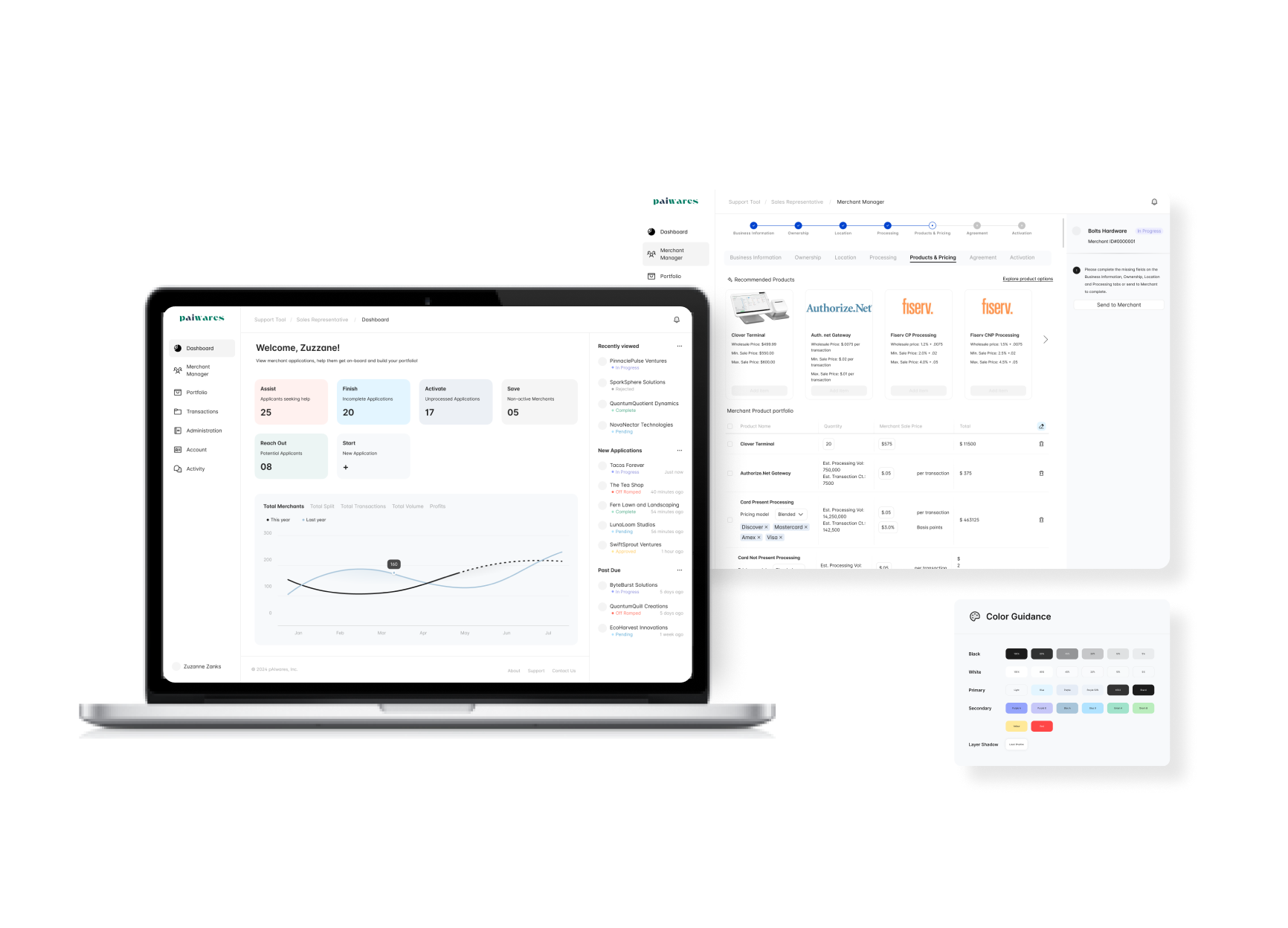
This is a project for a Fintech Startup where I worked on designing their B2B web application focused on digitizing Merchant Acquiring.
I was the sole designer and worked with Product Manager, Developers and Product Analysts.
SMBs seek guidance when deciding about a card processing solution when applying for merchant services.
Merchant acquiring is complicated. Most merchants aren’t payments experts; they’re entrepreneurs looking to start and grow their businesses. While merchant-led onboarding is important – and an area where more tech-savvy upstarts often have an advantage over banks – there is still a large portion of the target market that wants a guided, ‘do-it-together’ experience.
How might we create a seamless digital experience for small business owners looking for merchant services to get their business running?
To understand the domain at hand, I conducted White paper research on Merchant Acquiring. This helped me understand the pain points of merchants and bankers alike.

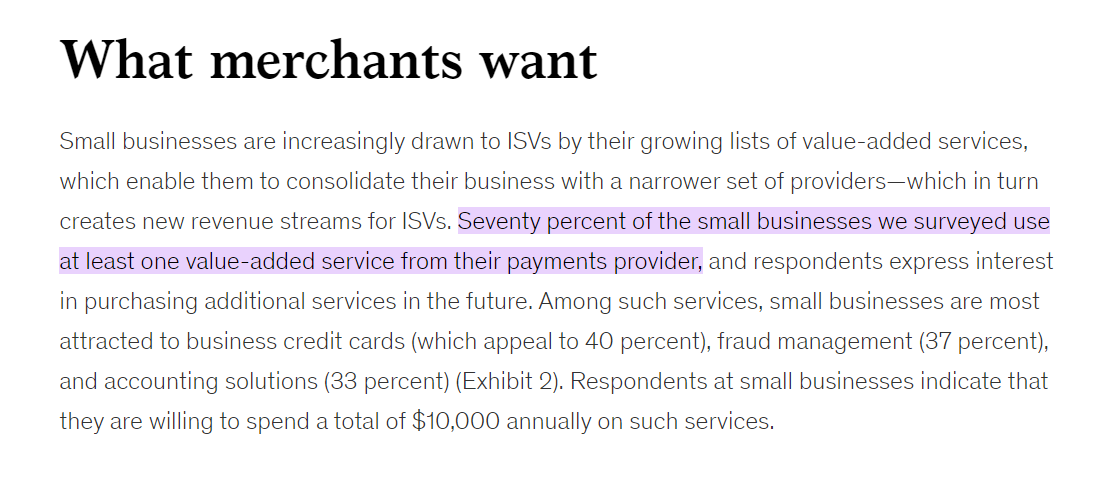
FINDINGS:
SMBs prefer comprehensive solutions over low pricing, perfectly positioning banks to win merchant with thoughtful, 360-degree banking. Merchant is often perceived as a race to the bottom where you can only compete on price. Yet 86% of SMBs would switch to a higher cost provider for a better customer experience. Case in point: the success of the major fintechs in merchant (Stripe, Square, etc.) were not due to more competitive pricing – they were due to better customer experiences for SMBs.
Next, I conducted user research through targeted 10+ user interviews with Bank sales representatives and Merchants, with the goal of understanding their needs and pain points.
Merchant Pain points
Bank Sales Representative Pain Points
Based on my research, I worked with the Product Analysts and Developers on the team to define key features and functionalities of the software solution that was to be designed.

Next step involved creating an easy navigation system and user journey based on high priority tasks.
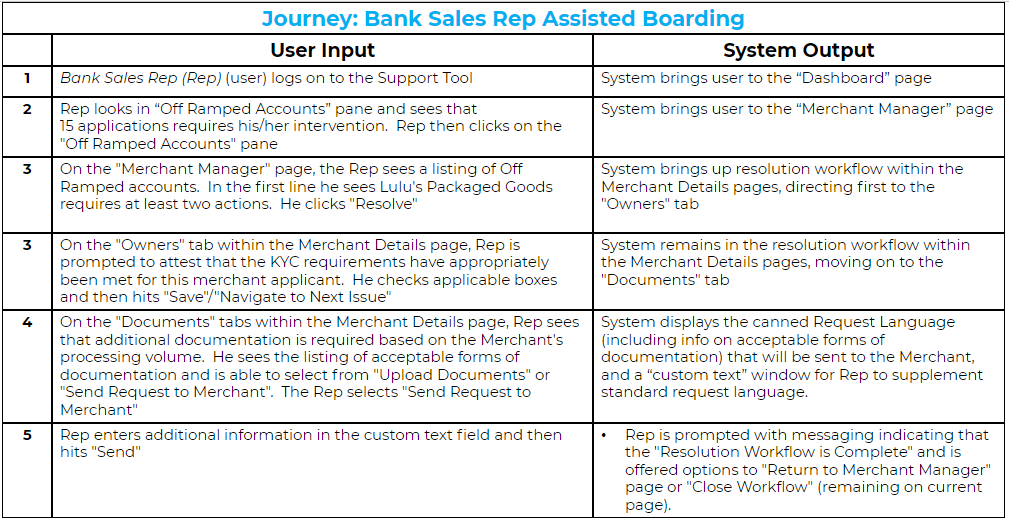
After working on the information architecture, I started putting ideas onto paper and then reviewed them with the team for their feedback.
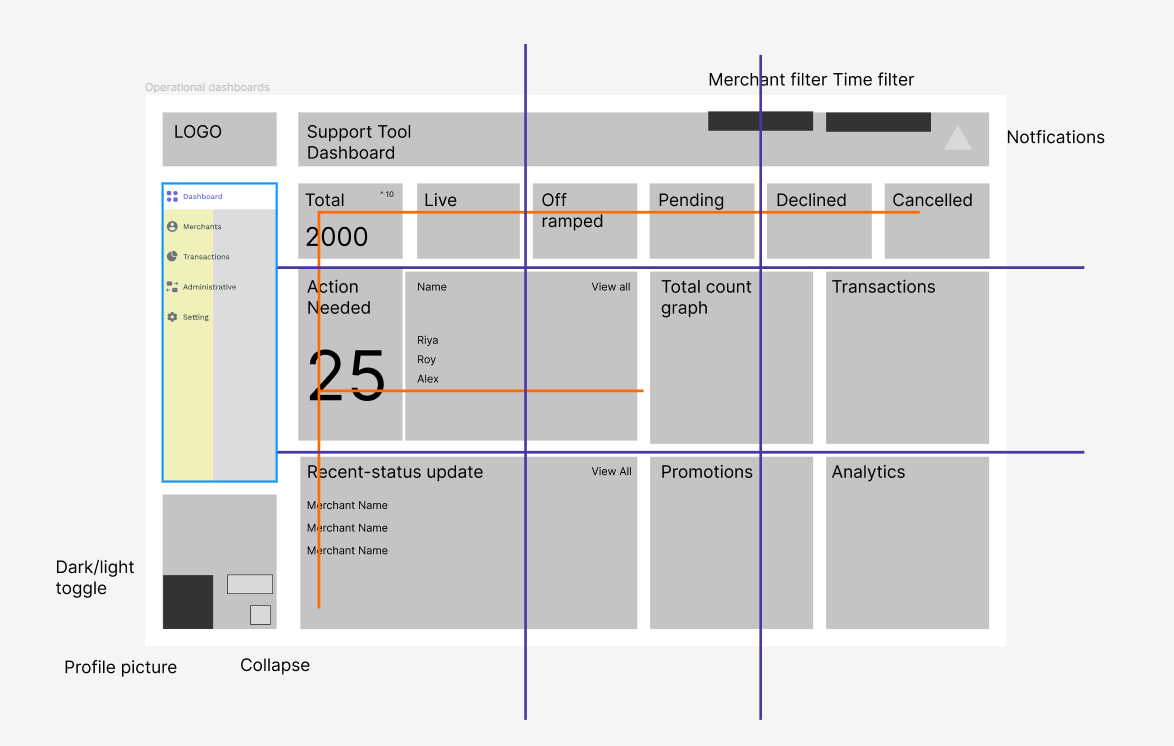
After multiple iterations and a session of usability testing we arrived at the mid-fi prototype. Here I will show the important elements on the application and key design features.
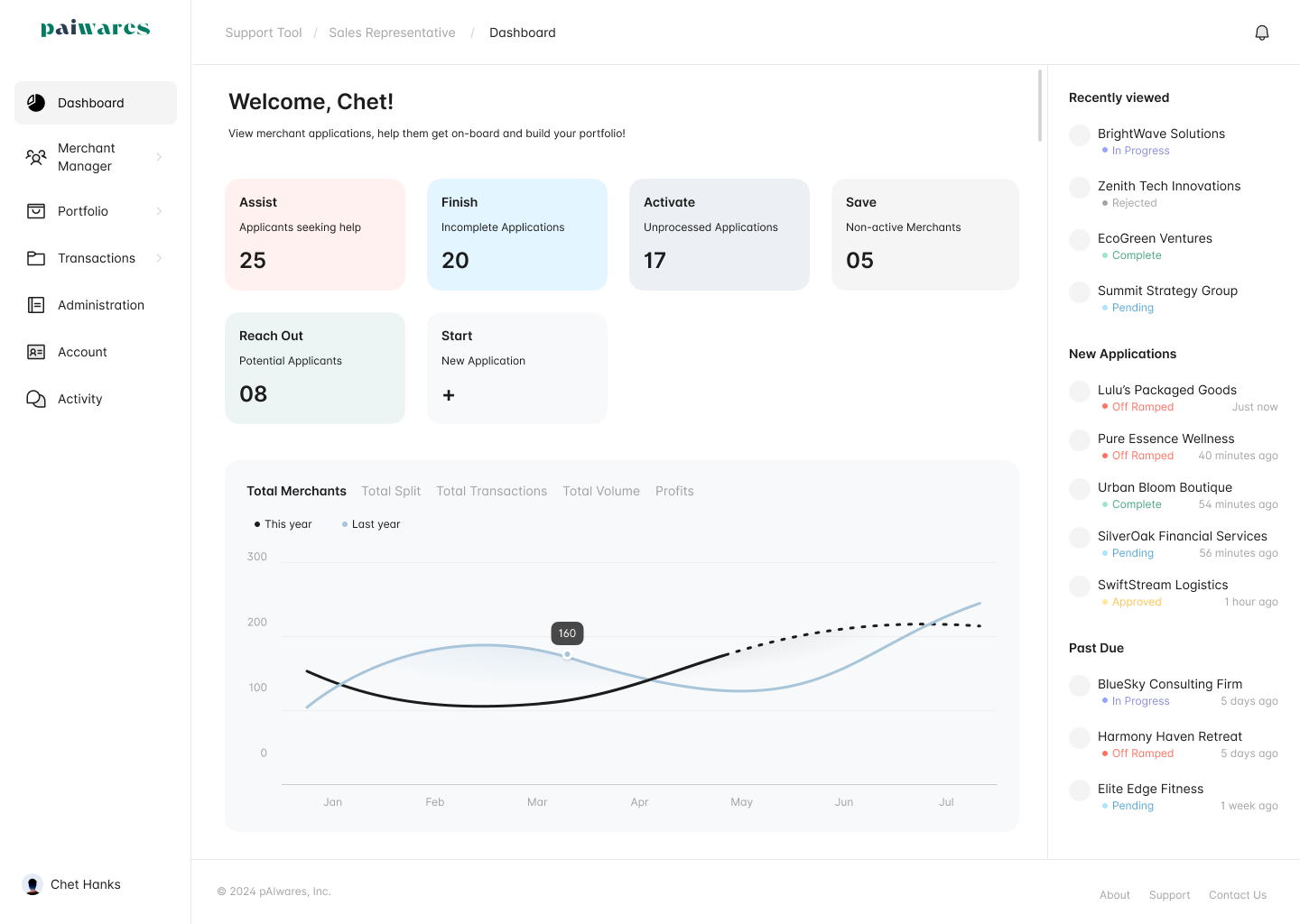
Dashboard Design
✅ See all statistics and action items at the top of the page
✅ See status updates of latest applications on the right panel
✅ View portfolio progress
Design Principles
🔷 F - screen reading pattern
🔷 Rule of thirds - placing important elements at intersections
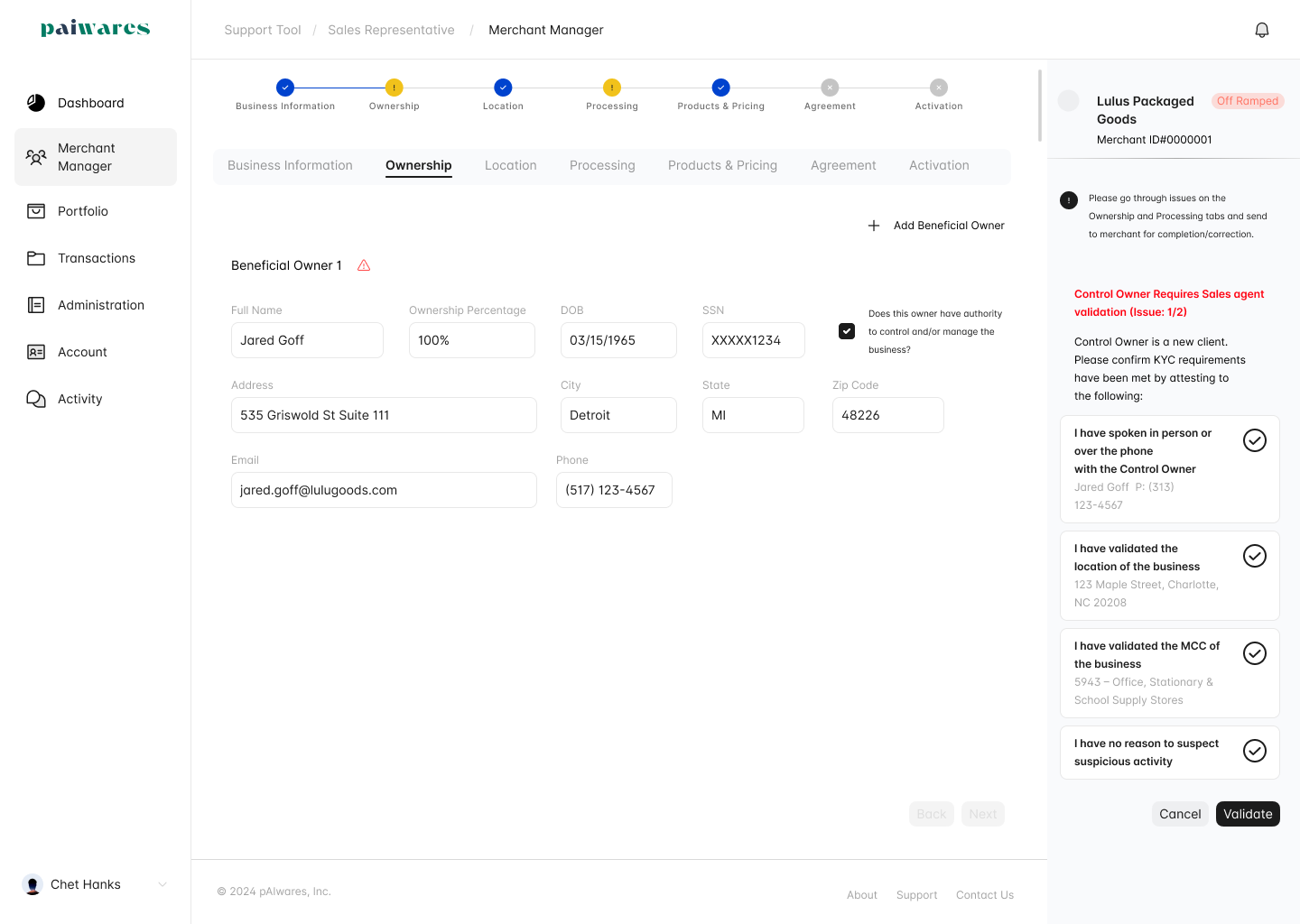
Form filling
🔷 Clear Call to Action indications
🔷 Indication of pending tasks and progress
Similar experiences for both users - Merchants and Bank Sales Representatives
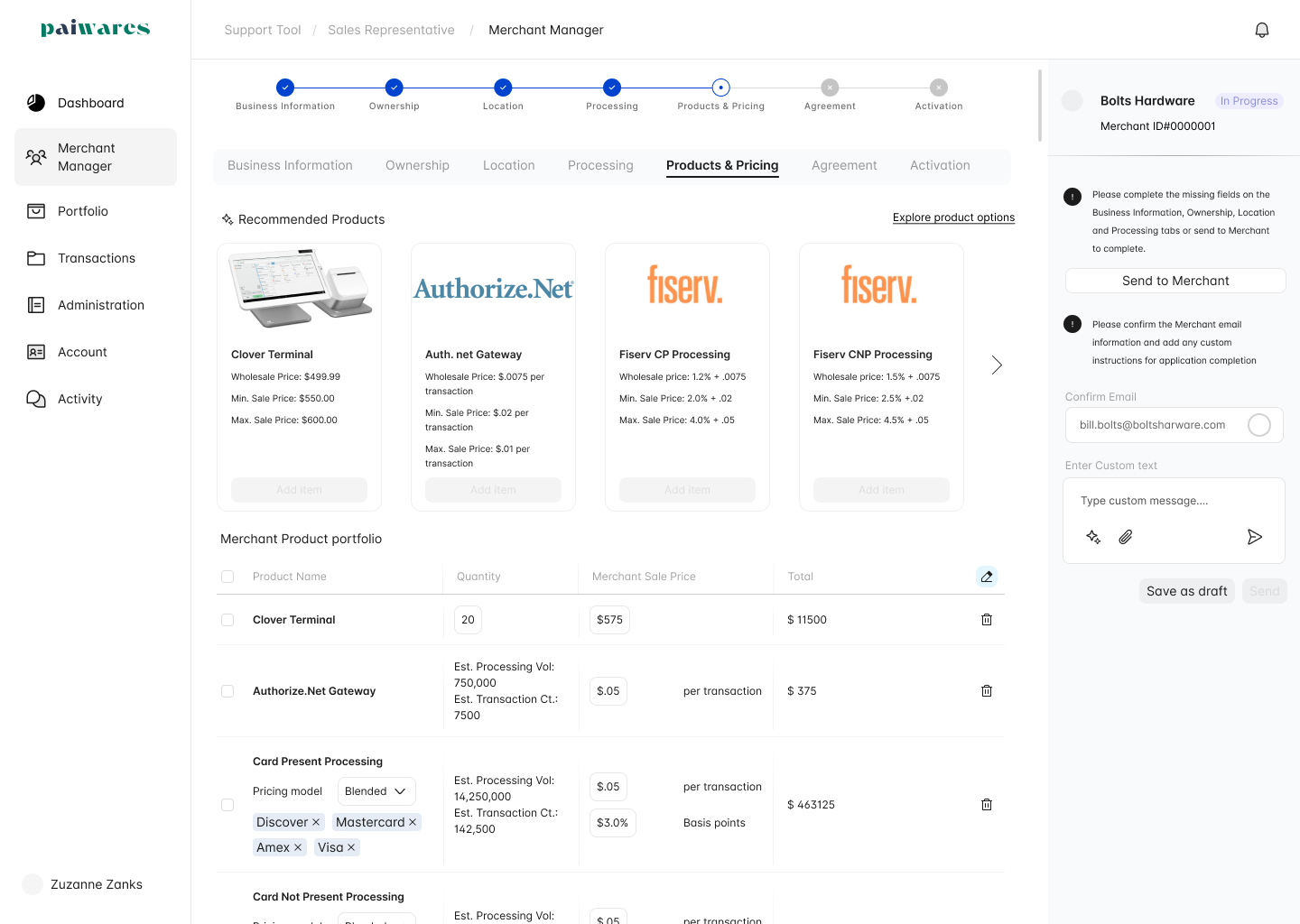
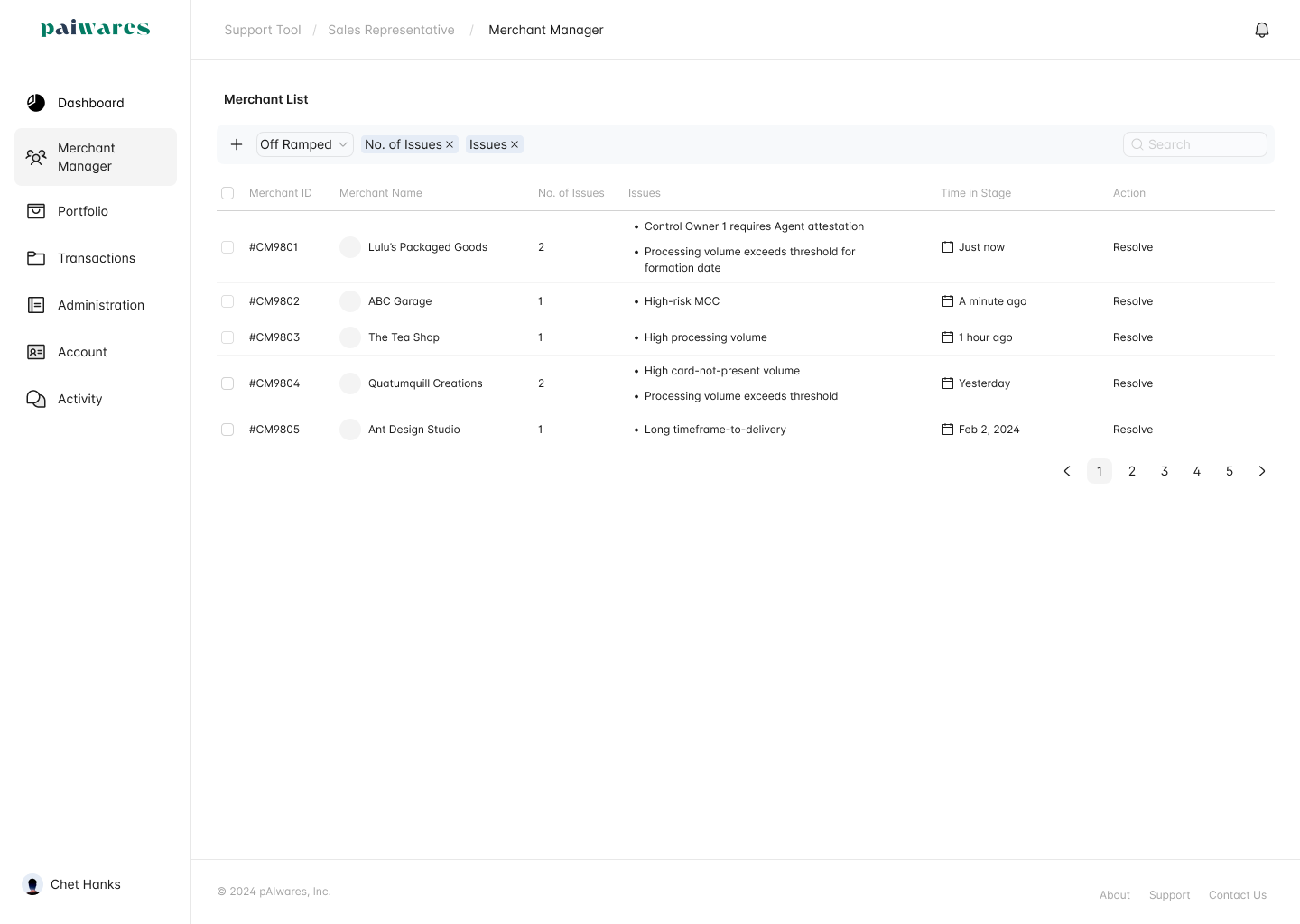
Flexibility for viewing and sorting applications
Testing for user satisfaction
Deploying different versions of a feature to measure which performs better in terms of user engagement and satisfaction.
Best SaaS Practices
Designing a robust search function, pop-ups, and tooltips to guide users throughout the application.
Do not reinvent the wheel, stick to conventional practices when there is no issue at hand.
Priorotize important tasks in a user flow, do not extra flexible and complex interfaces that look cluttered. Keep things simple!
.png)