.png)

Keyless
Rapid Prototyping | Mobile Interface design
.png)
This is a school project as a part of the HCI 430: Prototyping and Implementation course. The goal of the project is to use the User Experience design process to ideate and create prototypes for different mediums and test them for further iterations.
I was active in all aspects of the design process, as did the other members of the team. We all collaborated, bringing our ideas to the table, brainstorming and then moving forward. We divided our work and worked independently while developing on the Hi-Fi prototypes and conducting usability tests to save time.
Keyless is a all-in-one concept that allows easy control of all your locks with one app. Experience fast and secure lock management for your home, business, car, or rental. Lock, unlock, and share access with your phone or smartwatch via the Keyless app.
-p-1600.png)
Nobody loves carrying a large set of keys with them, whether it's house keys, car keys, or workplace keys. Physical keys are bulky, take up a lot of room, and are frequently lost or stolen. This project looks into a possible solution for easy access, handling, management, and distribution of keys.

Ria, 35, is a single mother. She works for a marketing firm in Chicago and travels a lot for her job. She owns a vacation home in Plainfield, Illinois, and hosts it on Airbnb to earn some extra money. Because of her busy schedule, she often has trouble handing out keys to customers. Her alternative is to keep the keys with her neighbors, but she dislikes being dependent on them and coordinating with her customers. She is looking for an easy way to solve this problem.

Kayla is a 27-year-old entrepreneur who travels frequently to meet with clients. She recently learned about apps like Turo that allow her to rent cars from individuals in the areas she visits. However, she dislikes the logistics and time involved in setting up meetings with the car owners. She would rather be able to locate, check-in, and unlock her rental car at her convenience.

Steve, 56, is the landlord of a multi-unit apartment building. His weekday schedule is pretty busy and he needs to assist new and current tenants with access to their apartments. He worries about tenants getting locked out of their apartments and being unable to help them. He is looking for an alternative to give access to his tenants.
.png)
Key Features: Lets users lock, unlock, and start car with passive entry, and remotely. For some cars users can lock, unlock and start the car if they hold the device near the car door.
Limitations: Does not have an option to grant access to other users. The app is designed only for cars and not home, office. It is compatible with only a few car models.
Key Features: Lets users control their car remotely. Ensures drive safety before departure. Ability to check live vehicle engine status and receive safety alerts. Lets users share car key.
Limitations: Does not have an option to grant access or receive access. Does not lock/unlock home/office.
Key Features: Lets users send eKeys to family, friends and guests from anywhere, anytime with the mobile app or from the web. Control access by choosing to send an Anytime, Scheduled or Guest eKey. Users can check Kevo’s history to view lock/unlock events for all users and they can also set up notifications for the same.
Limitations: Does not lock/unlock cars.
Key Features: Lets users grant access by sending invites and setting up time limits. In-built messenger in the app for quick communication.
Limitations: Does not lock/unlock cars.
.png)
We completed a sketching exercise which produced our initial low-fidelity prototypes.
.png)
.png)
.png)
.png)
We designed mid-fidelity prototypes that incorporated our ideas. The purpose was to test the functions, layout and features of our application.
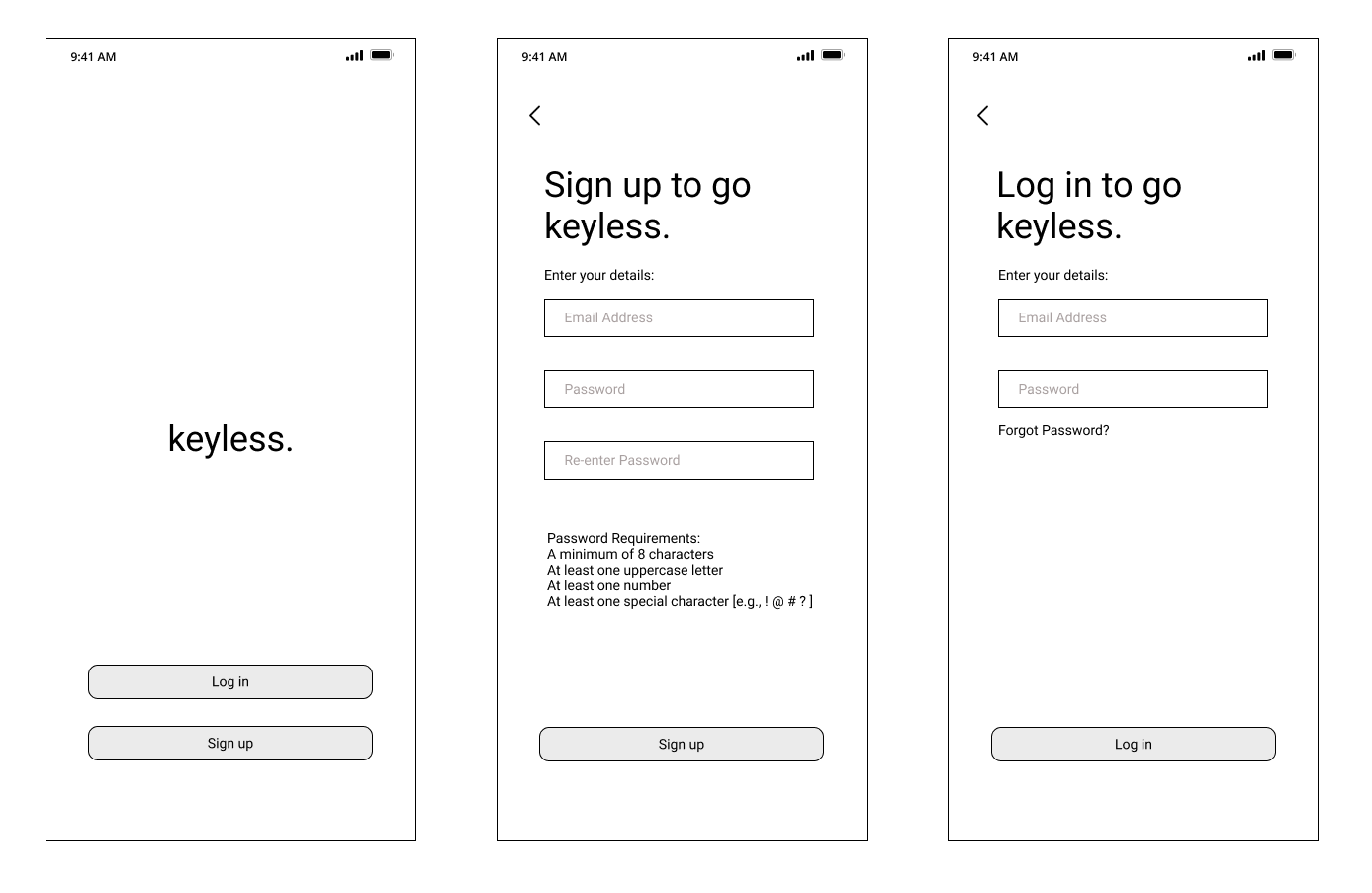
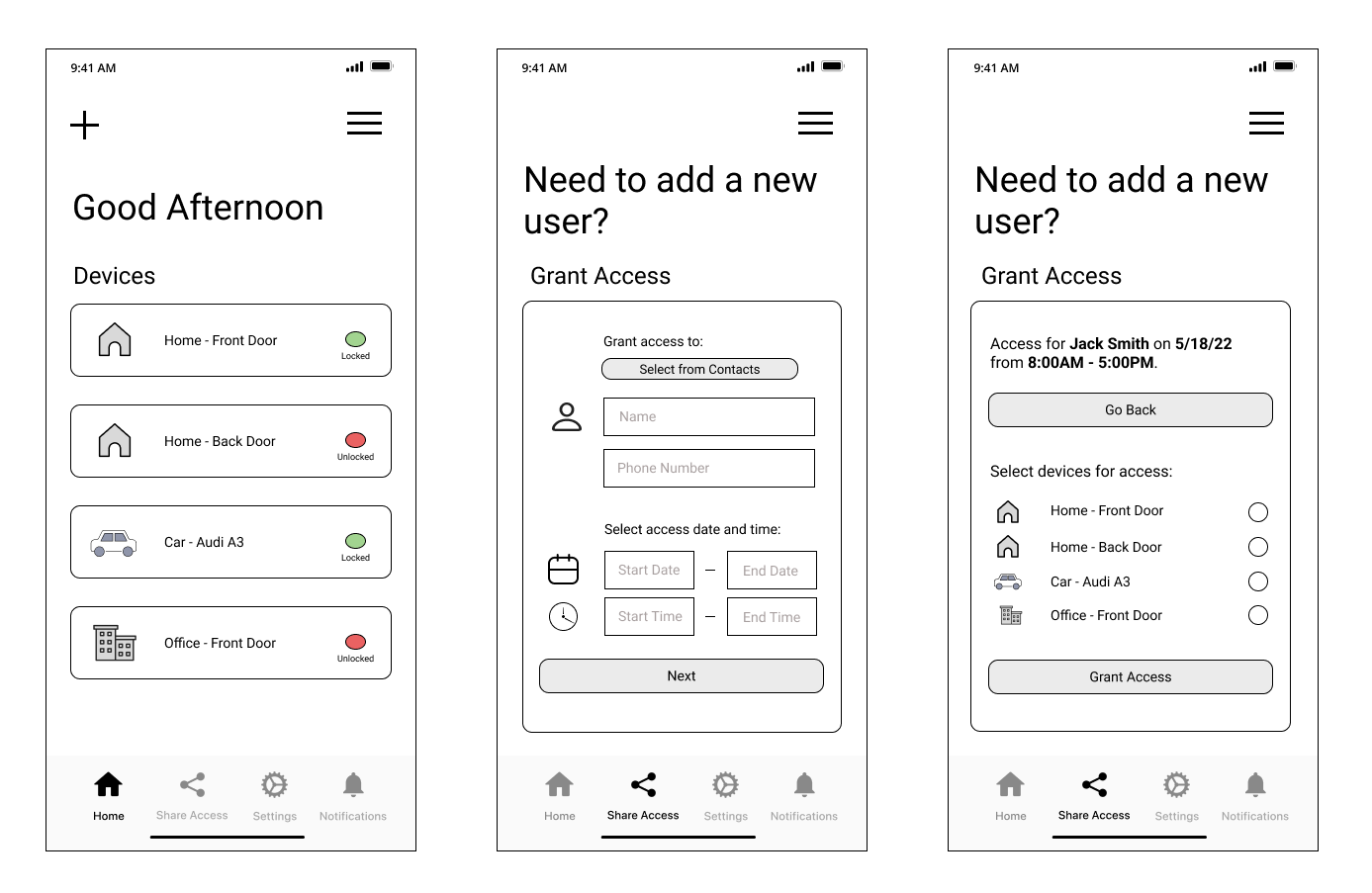
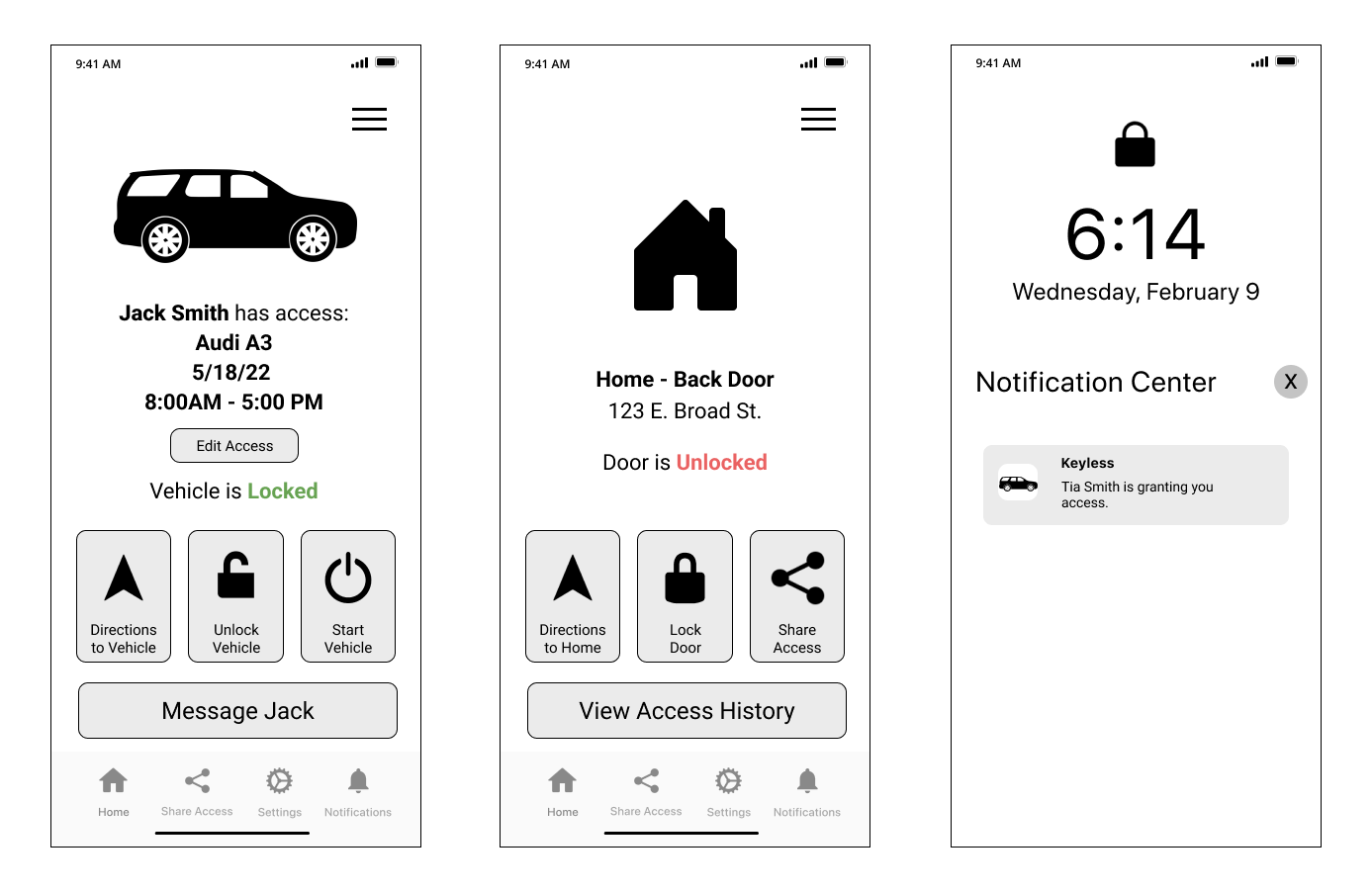
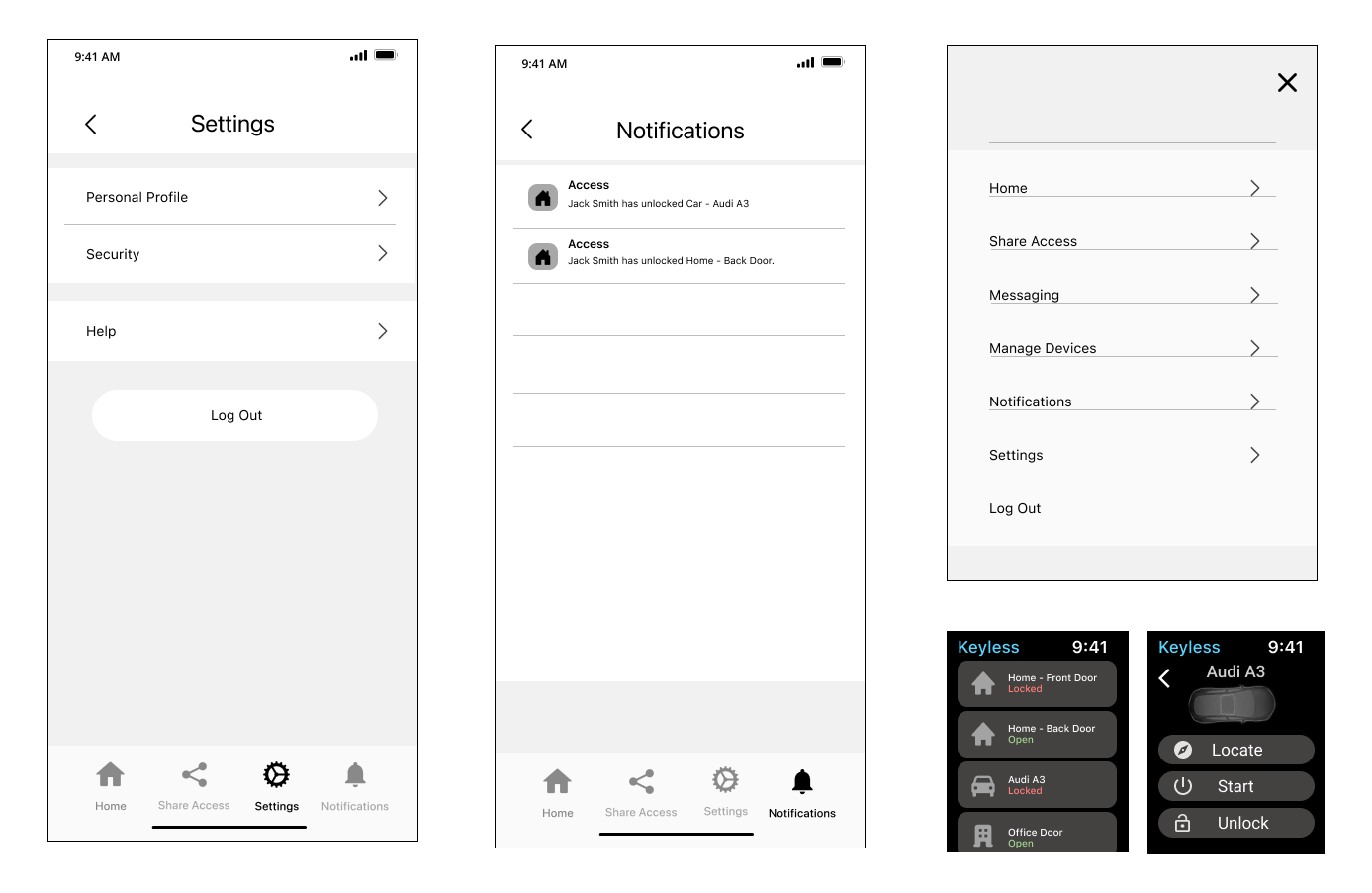
We recruited participants for usability testing. We watched, observed and took notes, as the participants completed their tasks. This was done to help us evaluate our design by identifying usability problems and determine the participants' satisfaction with it.
Test Sessions: Four parts: Introduction, scenarios, post-task questions, and post-test questions
Test Participants:
One pilot testing session.
Four main participants.
Varied experience with smart locks and vehicle apps.
User flows tested:
Signing Up & Signing In.
Granting Lock Access.
Locking Door Remotely.
Receiving Access.
Starting Car from Watch.
Signing Out
Most participants had difficulty returning to the previous page.
Most participants expected the log out button to be found in the hamburger menu
One participant noted it would be helpful if clicking the lock status indicators on the home screen unlocked or locked the lock.
The language on the home screen (“secure” or “open”) was inconsistent with other app screens. Colors were also confusing, as red should indicate a status that needs attention.
One participant was unsure if the device sharing had been successful. Additionally, we received feedback from the class discussion board that we should add an “Edit Access” button to the shared device screen.
Added back buttons to each screen.
Added a logout button to the hamburger menu.
Clicking the lock status indicators in the home screen switches the lock from locked to unlocked without having to enter the device screen.
Changed labels from “secure”/”open” to “locked”/”unlocked”Inverted red/green colors such that red represents unlocked and green represents locked
Increased shared status size on device screen. Added “Edit Access” button to the shared device screen so the user can easily make adjustments


.png)
We updated our mid-fidelity prototype into a high-fidelity prototype by incorporating user feedback and following a style guide.
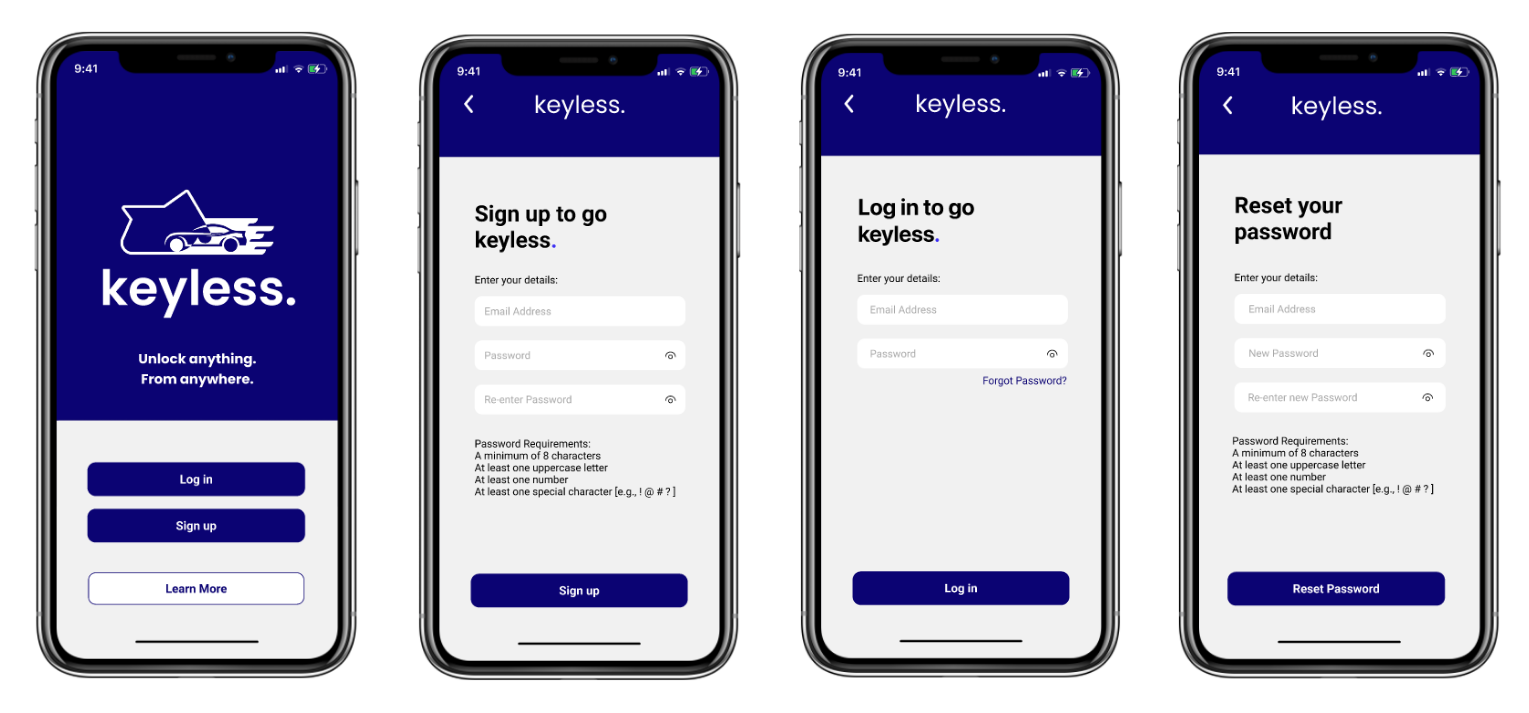
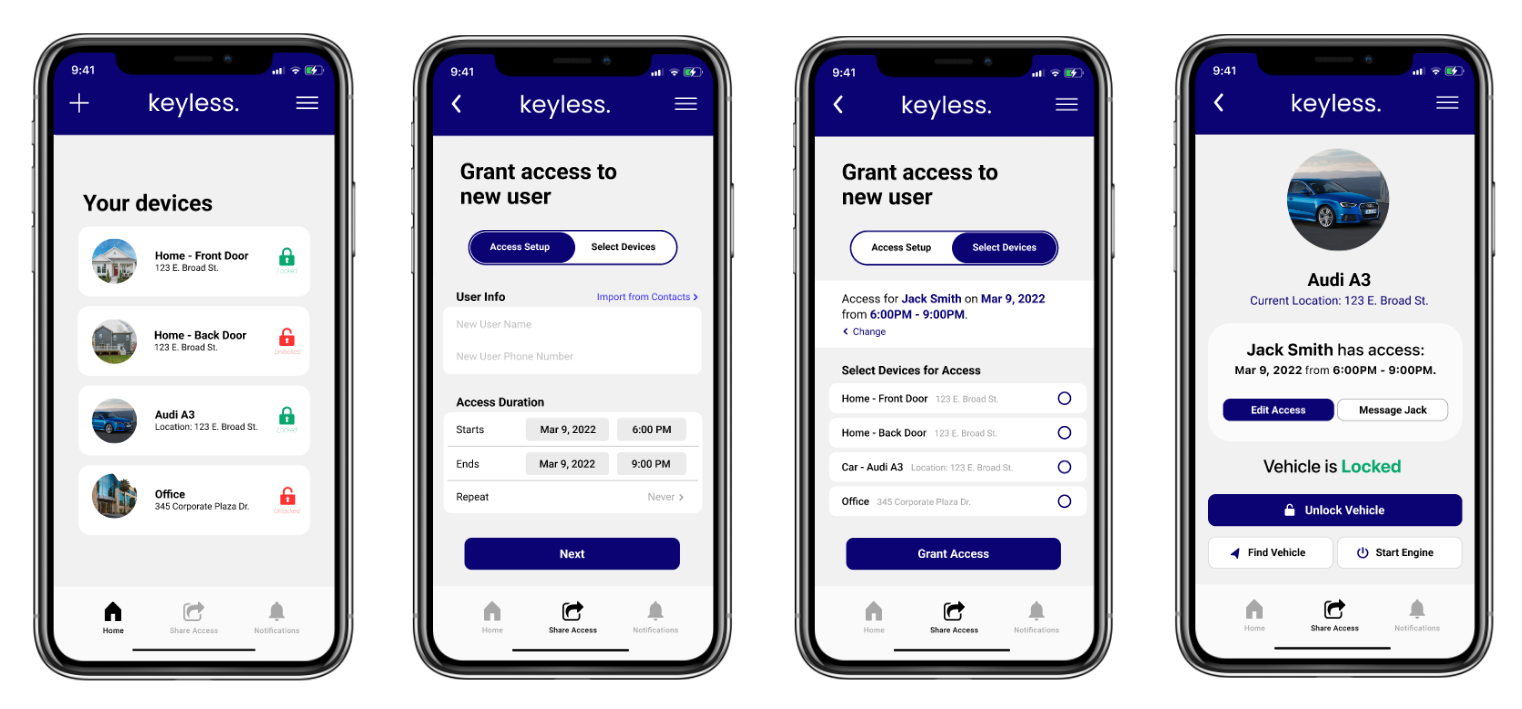
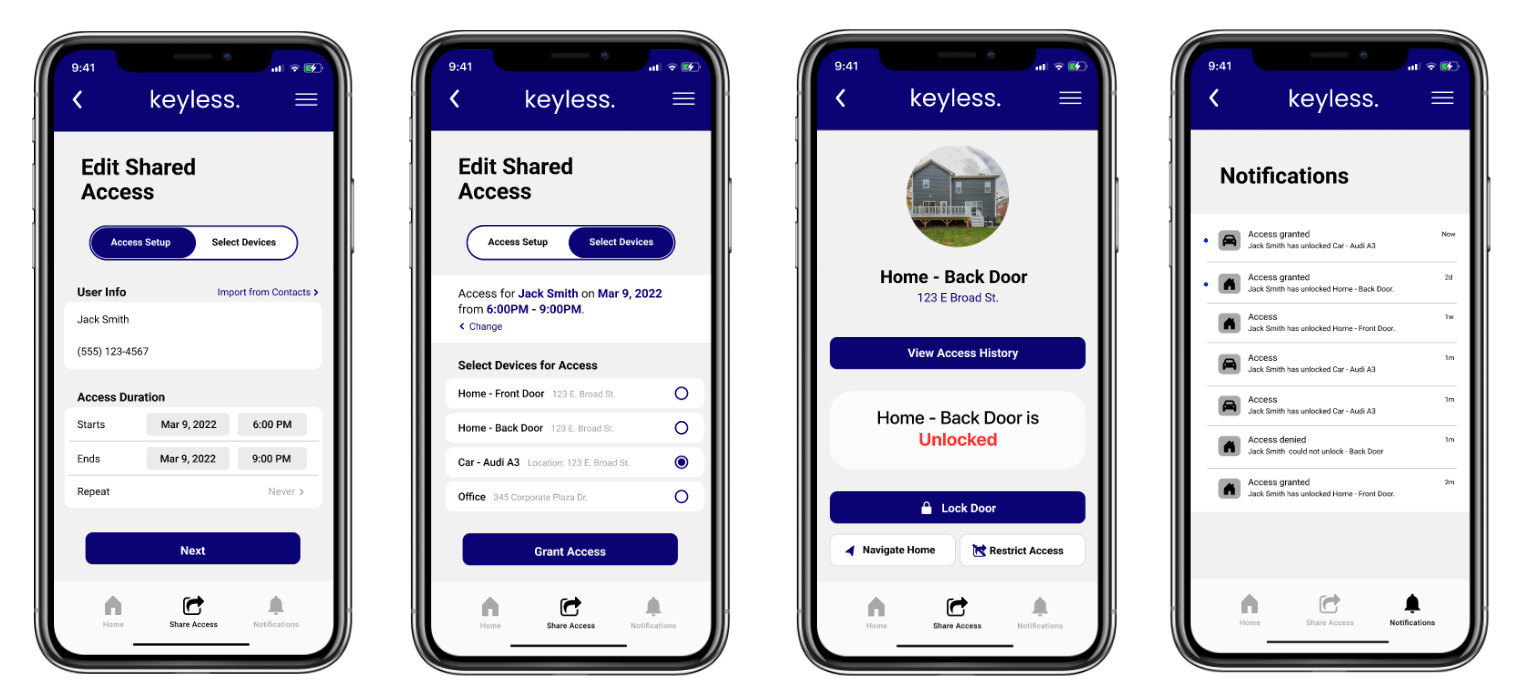

We learned much about iteration within the design process as we progressed from an initial idea to sketches and increasing fidelity prototypes.
Even with a handful of participants, we were able to elicit valuable feedback on our mid-fi prototypes to improve our application.
We will never feel like our app is truly “finished.” There are always improvements that we can make to better the features and usability of the app.
We only prototyped out a few of the “happy paths” within the app. Future work should aim to prototype additional features of the app and various error states that may occur.
Additional user testing on the hi-fi prototypes will help to reveal remaining usability issues with the app.
We faced difficulty testing the watch prototypes. We initially tried to test it on the phone but it failed as participants could not recognize the medium. We then made similar paper prototypes and wrapped them around the wrist of the participants.
.png)