.png)

Ansys
Design Systems | Interviews | Heuristic Evaluation | Visual Design
.png)
I worked a as a UX Design Intern. Ansys builds multi-physics engineering simulation softwares for 3D product design, testing and operations. I worked on Discovery and MI Granta—an enterprise software for 3D modeling and simulation to help design engineers explore ideas, iterate and innovate with better speed, accuracy and overall experience.
During my internship, I worked in a fast-paced environment with a cross-functional team of product managers, designers, developers with two fellow interns. Ansys UX team practices an agile process for software development where the project plans are broken down into small design tasks to respond to changes.
%20(1).png)
I worked on several projects, encompassing both shorter-term mini assignments and ongoing endeavors. In the following, I'll provide a brief overview of some of the work I did, involving both design and research aspects.
I created the Splash Screen for Granta MI, an Ansys product, ensuring design consistency with the Ansys Discovery Splash Screen. The process involved initial idea sketching, followed by adjustments to background transparencies, font sizes, and colors. The objective was to streamline the user's focus during this brief period, presenting only the essential information needed for a seamless transition to the next screen. Additionally, the Splash Screen featured a message about recent updates to keep users informed.
_Artboard%2001.png)
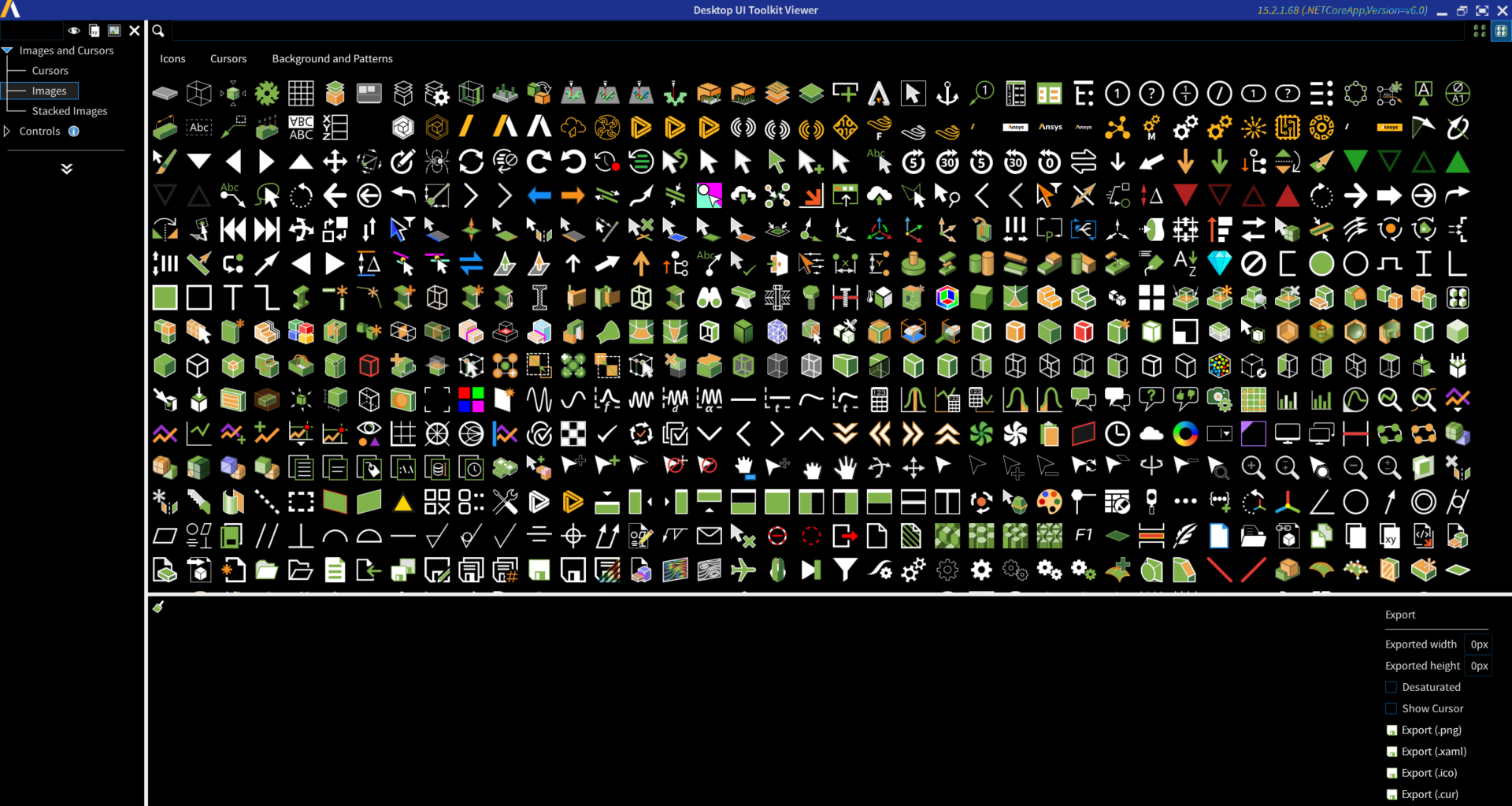
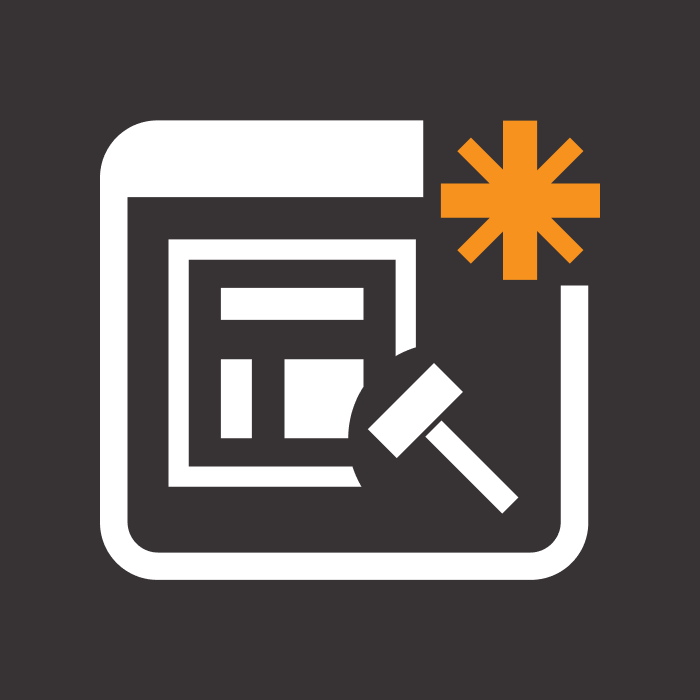
I worked on several icon design and redesign aimed at improving consistency and readability.
Process:
Understanding the context: Where does the icon appear?
Understanding the purpose: Why does the current icon not work?
Reviewing the Ansys Design toolkit to ensure consistency before redesigning.
Sketching out ideas.
Review by seniors.
Iterations and refinement.
Finalization.
Converting design to code using Figma plugin Zeplin.
.png)
Example 1
Icon Name: New Extension builder
.png)
.png)
Example 2
Icon Name: Add helper script

.png)
.png)
Example 3
Icon Name: Add button

.png)
.png)
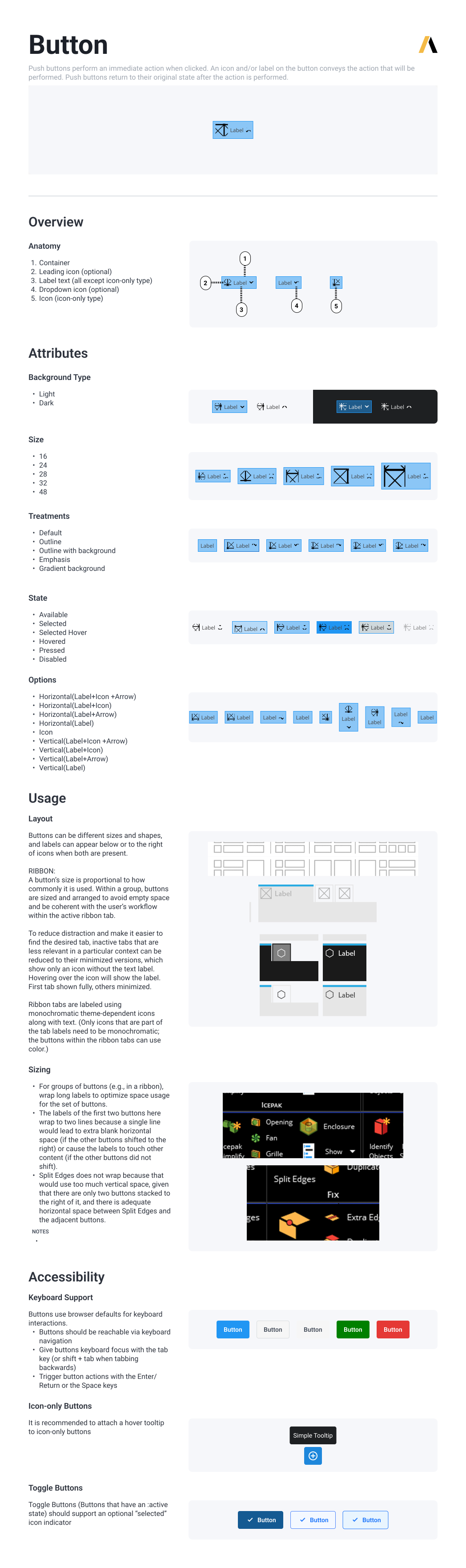
I focused on crafting components in Figma, such as Buttons, Tooltips, and Controls. Additionally, I dedicated efforts to establish a format for presenting these components, aiming for clarity and user-friendliness, especially for individuals without a design background. An illustrative example follows:
I performed a heuristic evaluation of two features within the Ansys Discovery software: the Extension Builder and the Open Dialog box. The following example highlights identified violations, design recommendations, and their corresponding severity scores.
%20(1).webp)
Project Title: Enhancing Accessibility in Ansys Discovery
Description: This guerrilla research project aimed to evaluate the accessibility of Ansys Discovery, with a specific focus on users with color blindness. Collaboration occurred with senior members from Legal, HR, and the UX Team.
Objective: The primary goal was to assess the performance of different themes (light vs dark) in terms of accessibility and determine the need for additional color-vision-friendly legends.
Rationale: A recent study revealed that approximately 1 in 24.6 Ansys users experienced color vision deficiencies, with deuteranomaly being the most common type.

Process: Participants were recruited from within Ansys, particularly from the Disability ERG group. A survey was conducted to identify color vision deficiencies, explore challenges faced while using the software, and understand the usage of tools/plugins for assistance. Subsequently, interviews were conducted with 15 participants.
Interview Structure:
Testing existing and proposed color legends.
Evaluating features in both light and dark themes to determine better performance.
Inquiring about participants' experiences with Ansys software and identifying usability or accessibility issues.
%20(2)-min.png)
%20(1)-min.png)
%20(1)-min.png)
%20(1)-min.png)
%20(1)-min.png)
%20(1)-min.png)
Feedback and Iterations: The interview protocol underwent several iterations based on feedback from seniors, with a focus on using appropriate language when addressing disabilities and avoiding order bias in research.
Pilot Tests: Two pilot tests were conducted, leading to modifications in the script and testing deck.
Key Learnings:
Provide limited options for rating tasks (visual, words, or numbers) to avoid confusion.
Ask for reasoning behind ratings to gather more meaningful insights.
Develop a standardized notes format for interviews involving a moderator and two observers.
Keep tasks limited to prevent lengthy and tiresome interviews for participants.
Findings: The study resulted in the formulation of an accessibility guideline or rule book. Common feedback included lower contrast in the light theme, confusion with disabled features, and some features going unnoticed.
Role: The contributor's responsibilities included drafting the consent form, interview protocol, creating the notes format, and organizing findings in a Figma file.
Personal Learnings: Gained insights into accessibility standards in software design, recognized the importance of show-and-tell through usability studies, and developed an understanding of light and dark theme patterns in interface design.
Emphasize Collaboration
Practice being an effective team player as a prerequisite for leadership. Ensure inclusivity by valuing and involving everyone, while honing soft skills like facilitation, organization, planning, maintaining positive energy, and effective communication.
Comprehend Product Goals
Ask pertinent questions to grasp the product's objectives from both a business and user perspective. Develop a thorough understanding of the context to effectively frame and explore the problem space. Emphasize the importance of asking 'why' to identify the right problem and validate work early in the process.
Navigate Trade-offs
Acknowledge that every design decision involves trade-offs, both positive and negative. Anticipate consequences and strike a balance between trade-offs to provide a clear direction. Support design decisions with a solid rationale and evidence.
Foster Quick Learning
Embrace each problem as an opportunity for growth, requiring new approaches, tools, and methods. Demonstrate adaptability by swiftly picking up new skills and adjusting to the evolving environment. Develop a strong grasp of concepts and best practices to navigate efficiently in unfamiliar domains.
.png)
.png)